Everything VirtlixCP does for your servers
Powerful enough for large fleets, simple enough for your first rack. Dedicated servers and KVM VPSes share one inventory, one set of IP pools and one client area.
Unattended OS reloads
Clients and admins reinstall any server they have access to. Fast, automated and fully customizable, with drivers for common Dell, HP and Supermicro network cards built in.
Linux
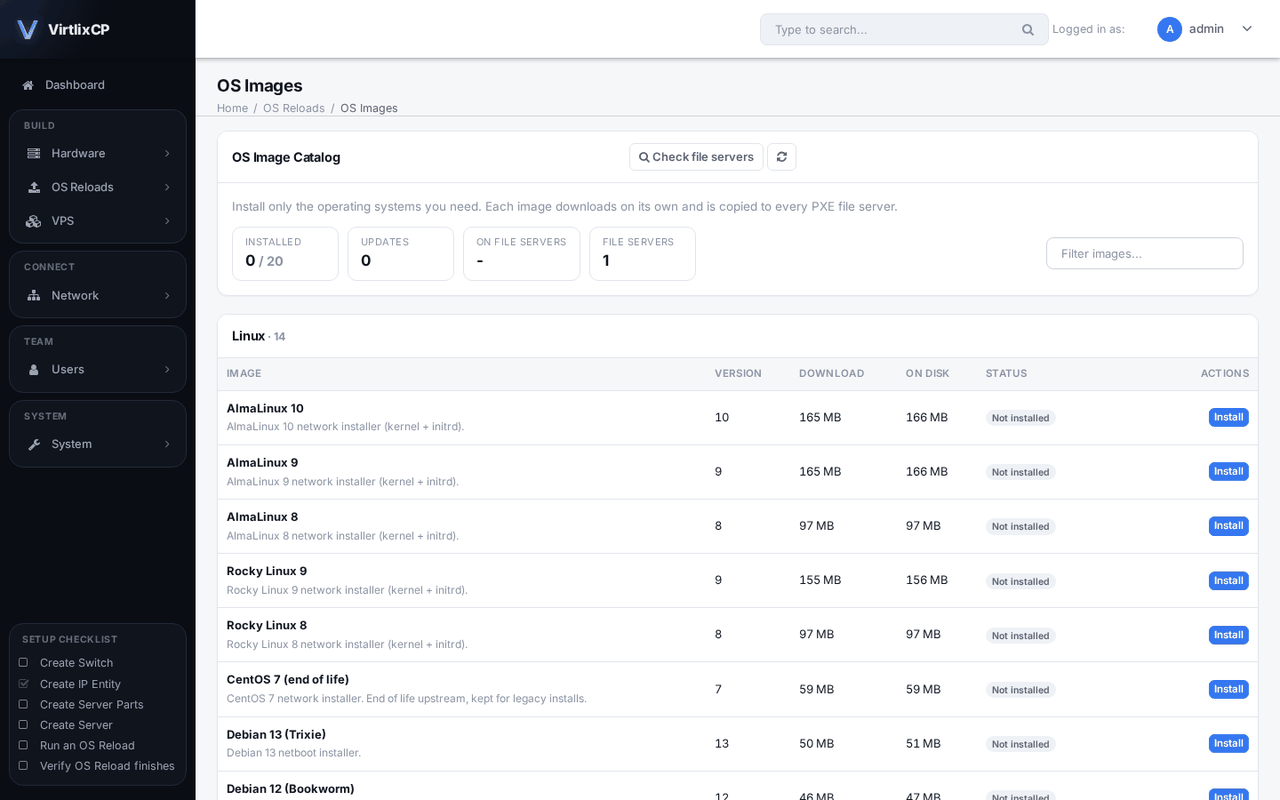
Ubuntu 20.04, 22.04, 24.04 and 26.04, Debian 10 to 13, AlmaLinux 8, 9 and 10 and Rocky Linux 8 and 9, downloaded from the VirtlixCP image catalog. Your own shell scripts run during the install.
Windows Server
Install from your own Windows Server ISOs. Upload drivers for one Windows version or all of them, and license keys are applied during the install.
Live recovery and other tools
GParted, the Grml rescue shell, netboot.xyz and DOS firmware flash tools, one click away for any server.
Fully automated
Reloads finish with no one from your team involved. The client gets their SSH or Remote Desktop login by email when the server is ready.
Fully integrated
With the WHMCS module, a paid order gets its IPs and its operating system installed on its own.
RAID configuration
Servers with several disks get software RAID 1 set up automatically, for every supported operating system.
Extremely customizable
Edit the preseed, kickstart and unattend.xml templates, install scripts, kernel lines, drivers and completion emails, and save them as reload profiles.
Client side
Clients manage their own servers without asking you.
Client access
Grant and revoke access per server. Clients can share access to all their servers with another account, such as their own NOC.
VIP clients
Mark clients as VIP so they are never suspended or terminated automatically.
Resellers
Resellers give their own sub-clients access to the servers they choose, with the permissions they choose.
Self-service
Power control, OS reloads and bandwidth reports for dedicated servers. For VPSes: console, reinstall with a control panel, rescue mode, ISOs, firewall, reverse DNS, scheduled tasks, backups and live graphs.
Extensible
Add-on packages add new features to the admin and client area. Browse add-ons.
Safe and secure
Two-factor authentication, granular permissions, detailed logs of every action and admin access control lists.
KVM virtual servers
Sell VPSes next to your dedicated servers, from the same panel and IP pools.
Hypervisors
Add any server by IP and root password and VirtlixCP sets up KVM on it. The panel server itself is added as a hypervisor during install.
Linux and Windows templates
Linux distributions and Windows Server templates from the VirtlixCP catalog, downloaded once per hypervisor.
Create in a minute
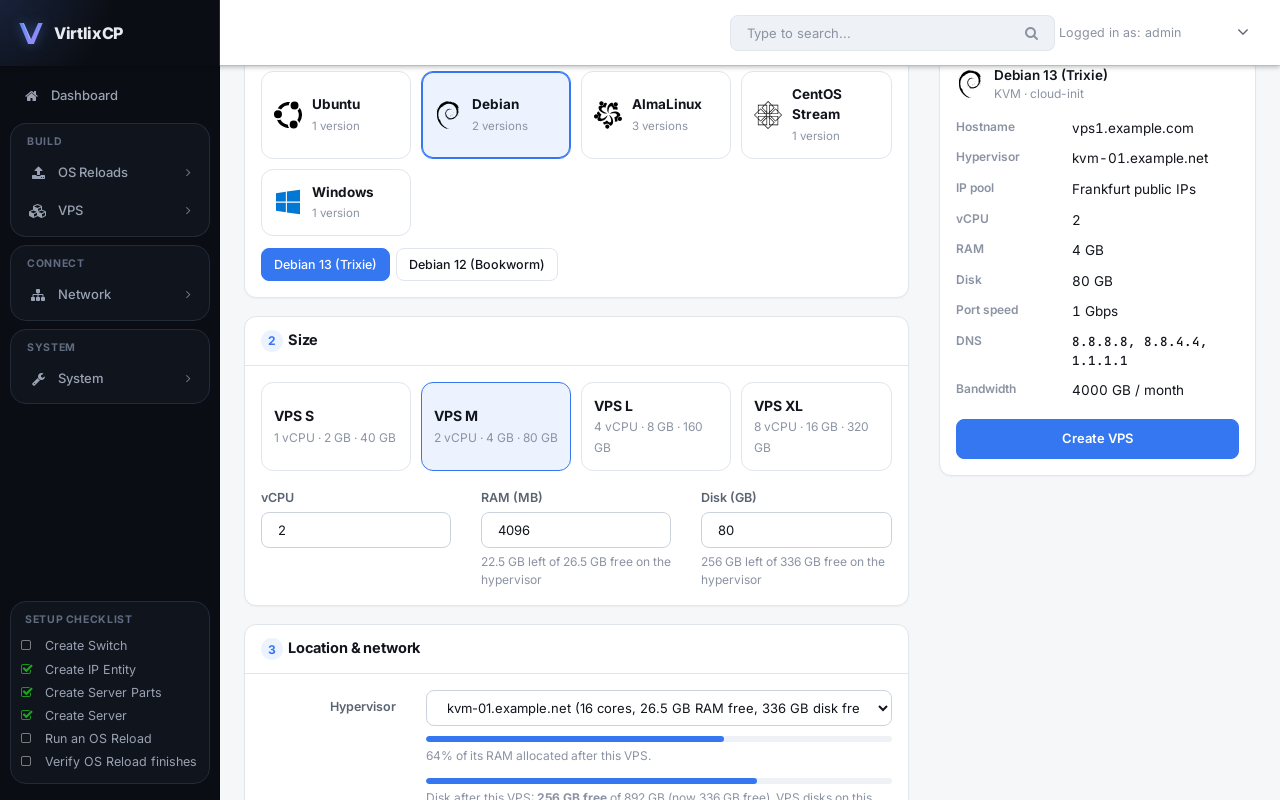
Choose an OS, a plan or your own size, and an IP pool, and assign it to a client. The VPS boots with its IP, hostname, password and SSH keys set.
Plans
Preset sizes with port speed and bandwidth, for one-click creation and resizing, and as WHMCS options.
One-click control panels
Install cPanel, Plesk, HestiaCP, Webuzo or CloudPanel with the OS, or run your own recipe scripts after an install.
Manage
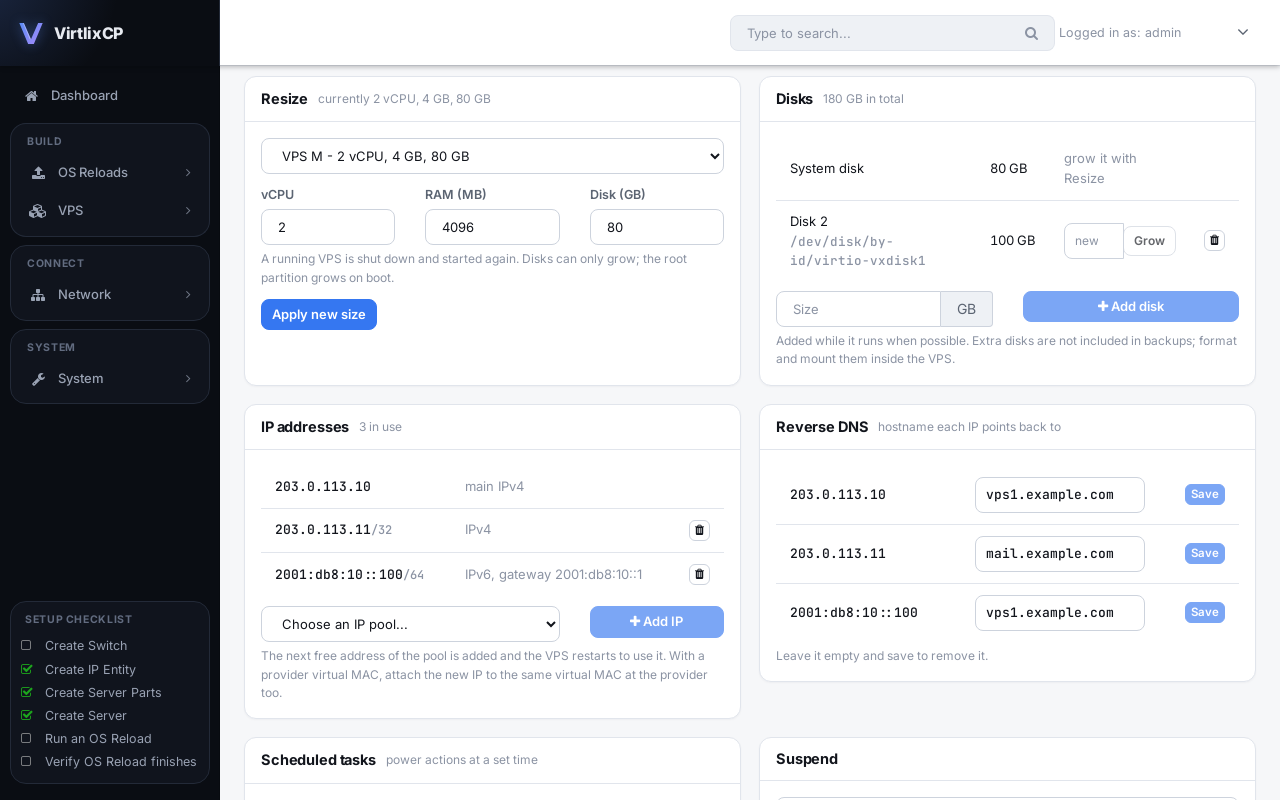
Rebuild, resize, suspend, schedule starts, shutdowns and reboots, and move a VPS to another hypervisor. A new password or hostname applies instantly, without a restart.
Import from other panels
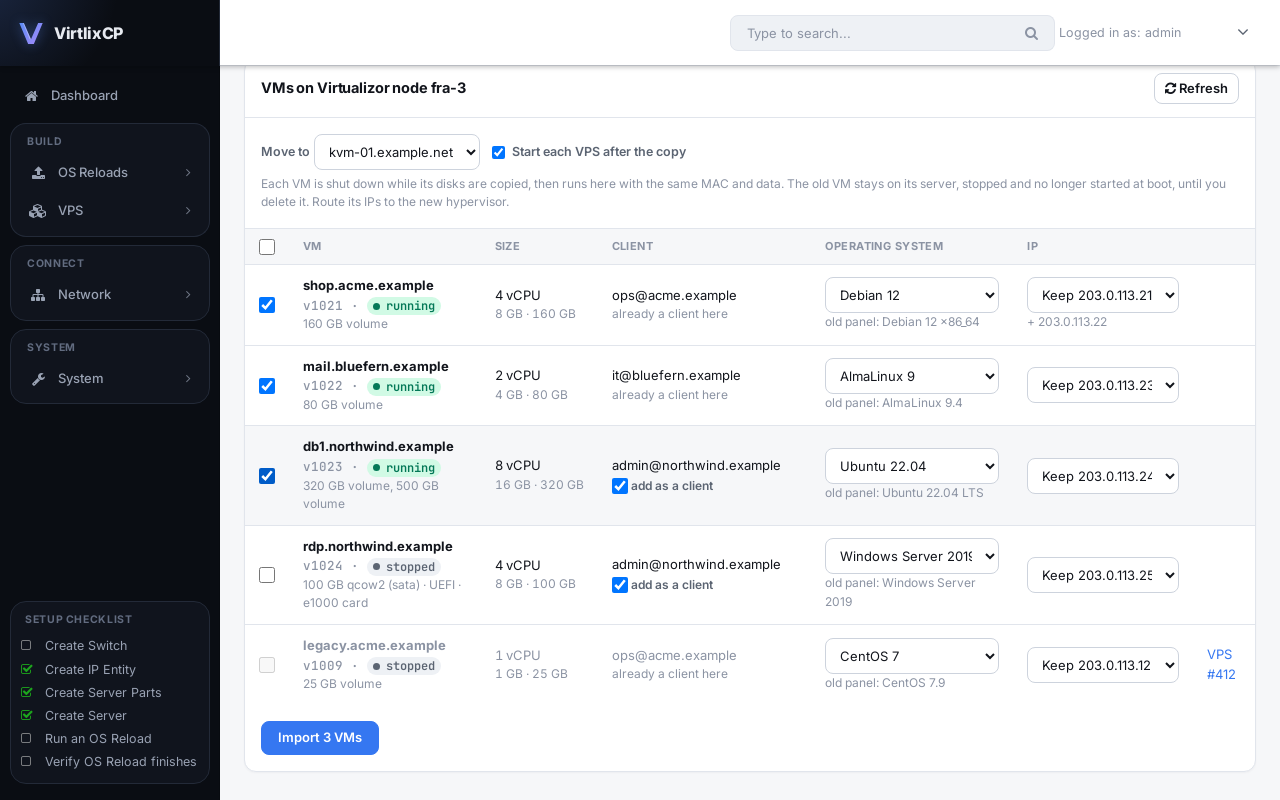
Move VPSes from Virtualizor, SolusVM, Proxmox VE, the Virtlix VPS panel or any KVM server. Each keeps its data, MAC and IPs, and its client comes along. How importing works.
Rescue mode and ISOs
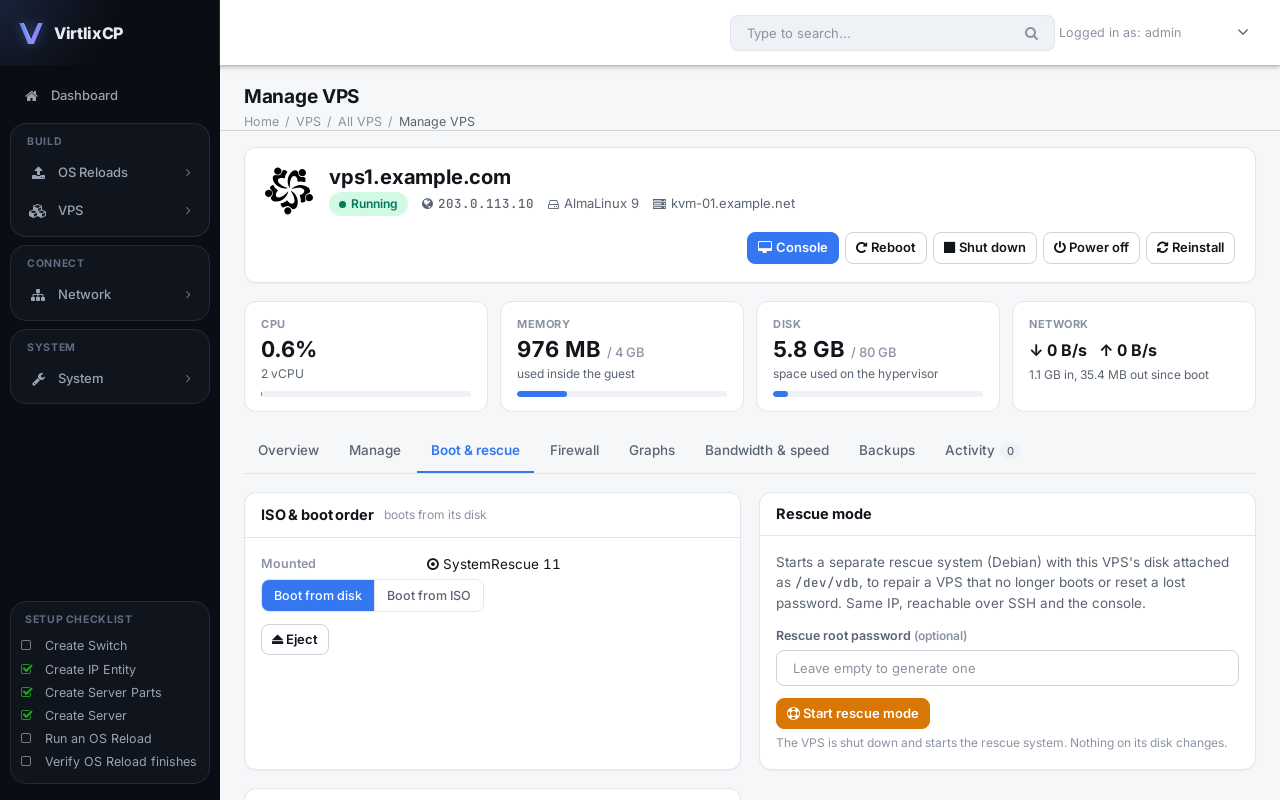
Boot a rescue system with the VPS's disk attached, or mount an installer ISO and boot from it. Clients can too.
Extra disks
Add, grow and remove disks while the VPS runs.
Backups
Full and incremental backups while the VPS runs, on a schedule, to a hypervisor folder, SFTP, FTP, S3, Google Drive, Dropbox or OneDrive. How backups work.
Browser console
Open a VPS's screen in the browser, even before its network is up, or connect your own VNC app.
Live graphs
CPU, memory, disk and network usage for each VPS, updated in real time.
VPS networking
IPs, speeds and traffic under your control.
Routed mode
Additional and failover IPs are routed through the hypervisor, so they work without a virtual MAC from your provider.
Virtual MACs
Enter the MAC your provider issued for an IP, such as OVH or Hetzner, and a VPS on that IP uses it automatically.
Extra IPs and IPv6
Add more IPv4 and IPv6 addresses to a VPS from your IP pools.
Reverse DNS
You and your clients set reverse DNS for every VPS IP, through PowerDNS, Cloudflare or OVHcloud.
Firewall
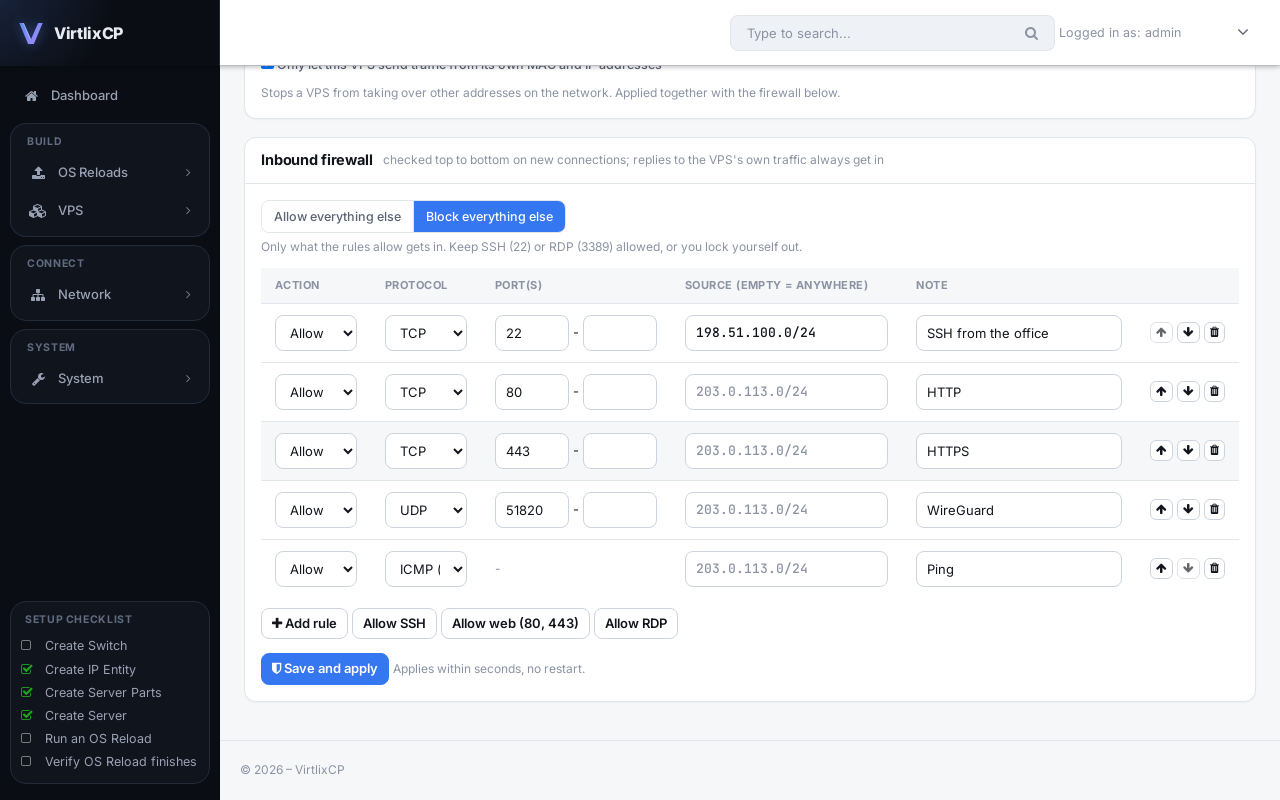
Inbound firewall rules for each VPS, set by you or the client, plus anti-spoofing, applied without a restart.
Port speed
Limit each VPS to 100 Mbps, 1 Gbps, 10 Gbps or any custom speed.
Monthly bandwidth
Set a transfer allowance per VPS, and choose to notify, slow down or suspend when it runs out.
DNS servers
Pick Google, Cloudflare, Quad9, OpenDNS or your own resolvers for each VPS, and change them later.
Server inventory management
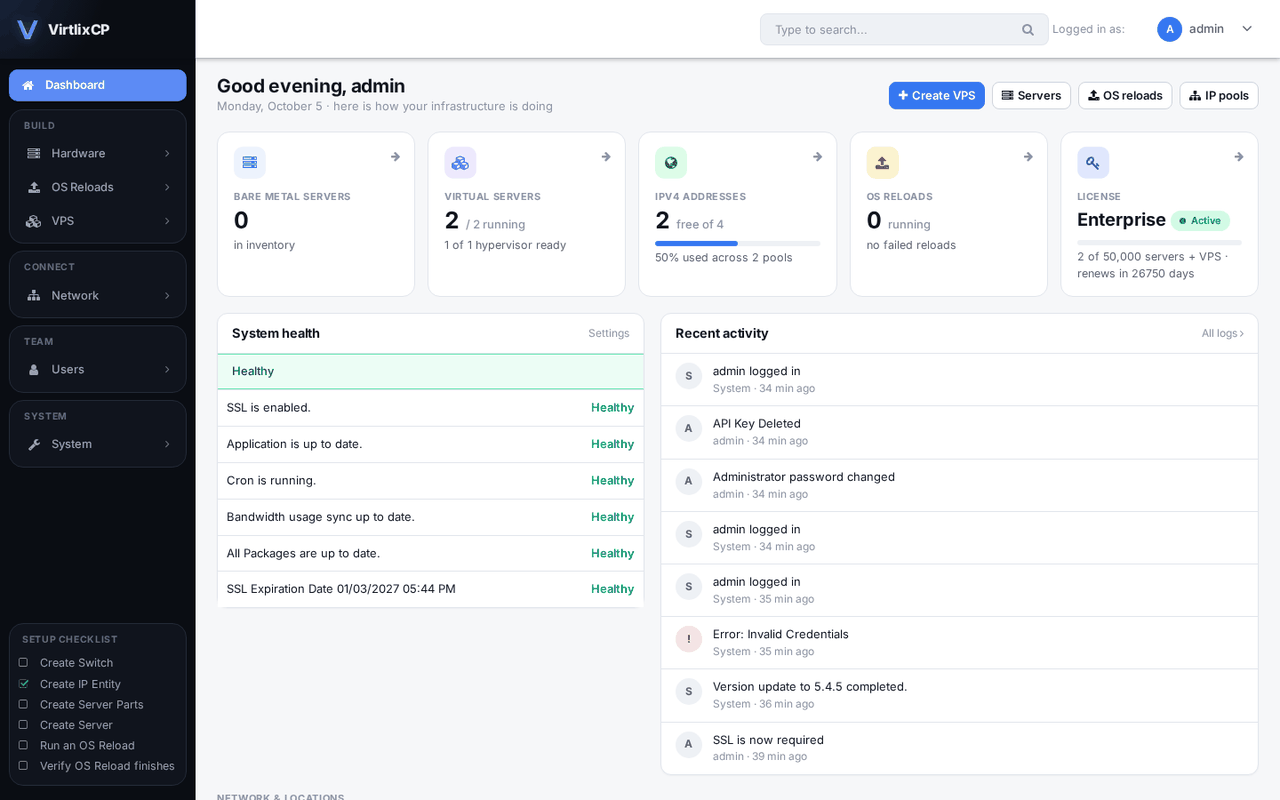
Every server, part, IP and port in one place.
IP entity management
Switch VLANs assigned automatically, advanced IP search and filtering, several VLANs per IP entity and several Ethernet ports per server.
Advanced filtering
Filter servers by location, IP address, client, server ID, IPMI IP, switch, switch port and parts.
Bulk actions
Assign clients and billing dates, suspend, unsuspend and delete many servers at once.
Multi-vendor IPMI, PDU and switch support
Works with the hardware you already have.
Use any vendor
Switches from Arista, Brocade, Cisco, Dell, Force10, FS, Juniper, MikroTik and Supermicro, IPMI from Supermicro, Dell, HP and ASRock Rack, and APC PDUs, out of the box. Packages add more.
IPMI and PDU controls
Power on, off and reset, launch the KVM console, manage client IPMI users, reset the BMC and pick the boot device: BIOS, disk or network.
Switch controls
Assign VLANs, set port speeds and turn ports on or off.
Powerful list actions
Work through hundreds of servers quickly.
Advanced filtering
Every list has filters. Several values in one field match any of them.
Advanced sorting
Sort by any column, or by several with Ctrl or Shift click, including filtered lists.
Bulk actions
Delete in bulk on every list, plus actions such as assigning and suspending servers.
Port forwarding for IPMI devices
Give clients their IPMI without putting it on the internet.
Private IPMI, public access
Whitelist a client's IP for one IPMI device. A single shared IP can serve hundreds of IPMI devices.
Automatically configured
Forwarding is set up when a server is created, and spread across the forwarding servers at each location.
Global smart search
Find anything from anywhere in the panel.
Built for speed
Search from the top of any page and see results as you type. Find devices by IP or MAC address.
Full results page
Open every match with filtering, sorting and bulk actions.
WHMCS and API
Sell servers and VPSes from the billing system you already use.
WHMCS module for bare metal
Dedicated servers are assigned, given IPs and installed when an order is paid, then suspended, unsuspended and terminated from WHMCS.
WHMCS module for VPS
VPSes are created when an order is paid, with the plan, OS, location, control panel and SSH key the client chose, then suspended, resized, renamed, given new passwords and terminated from WHMCS.
API
Everything in the panel is available through the API, for your own tools and integrations.
Platform
Runs on your own server.
One-command install
The installer sets up the panel, database, web server, SSL, PXE services and a hypervisor on a fresh AlmaLinux or Rocky Linux 9 server.
Built-in PXE services
DHCP, TFTP, HTTP and Samba for OS reloads run on the panel server. Add more file servers in other locations.
SSL
Free Let's Encrypt certificates for the panel, renewed automatically.
Updates
Apply new releases from the panel or with one command.
Move from SynergyCP
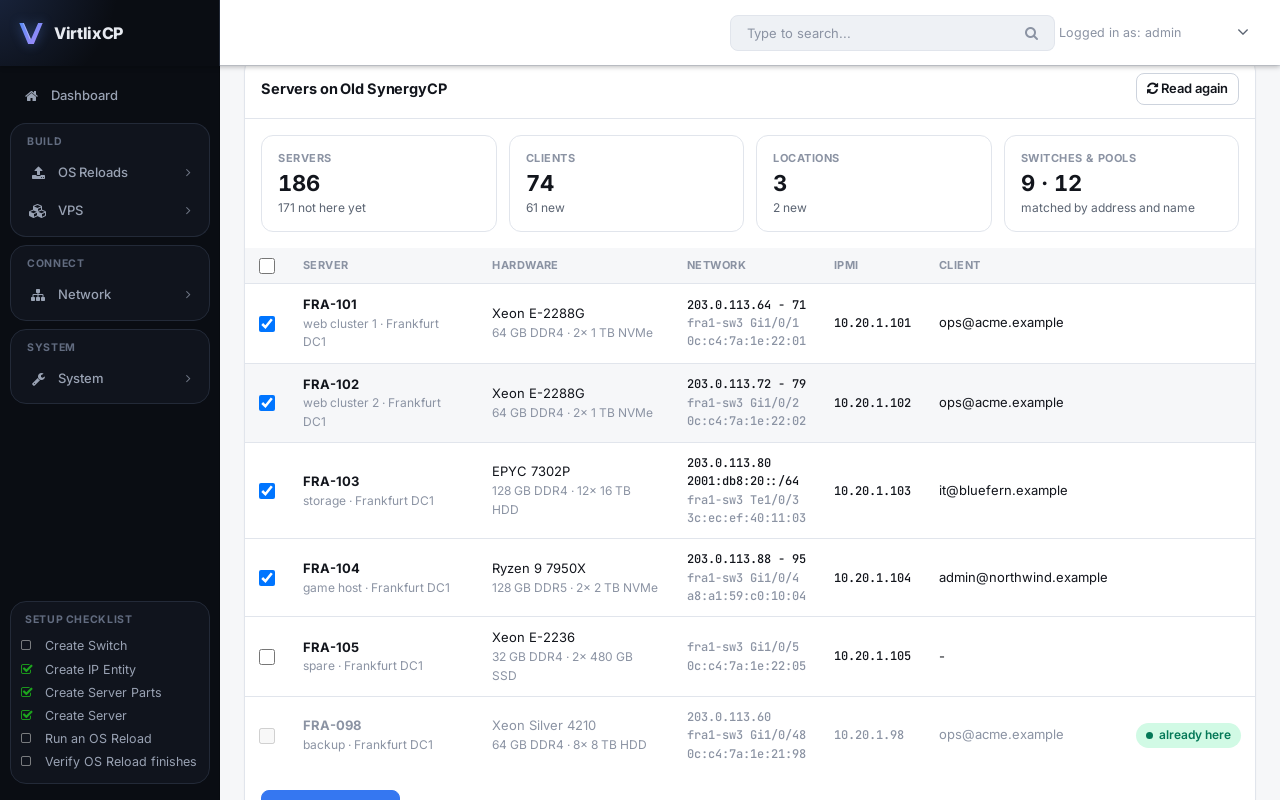
Import servers, IPs, switches, IPMI logins and clients from SynergyCP or another VirtlixCP with an admin API key. Migrating to VirtlixCP.
Your brand
Use your own name in the panel and client area.